
Meal Tracking & Nutrition Goals Tutorial
A complete guide to tracking meals, managing nutrition goals, and viewing meal suggestions on CareConnect
👤 For Patients: Track Your Meals
🔐 Step 1: Login to Your Account
Access your patient portal securely using your email and OTP verification.
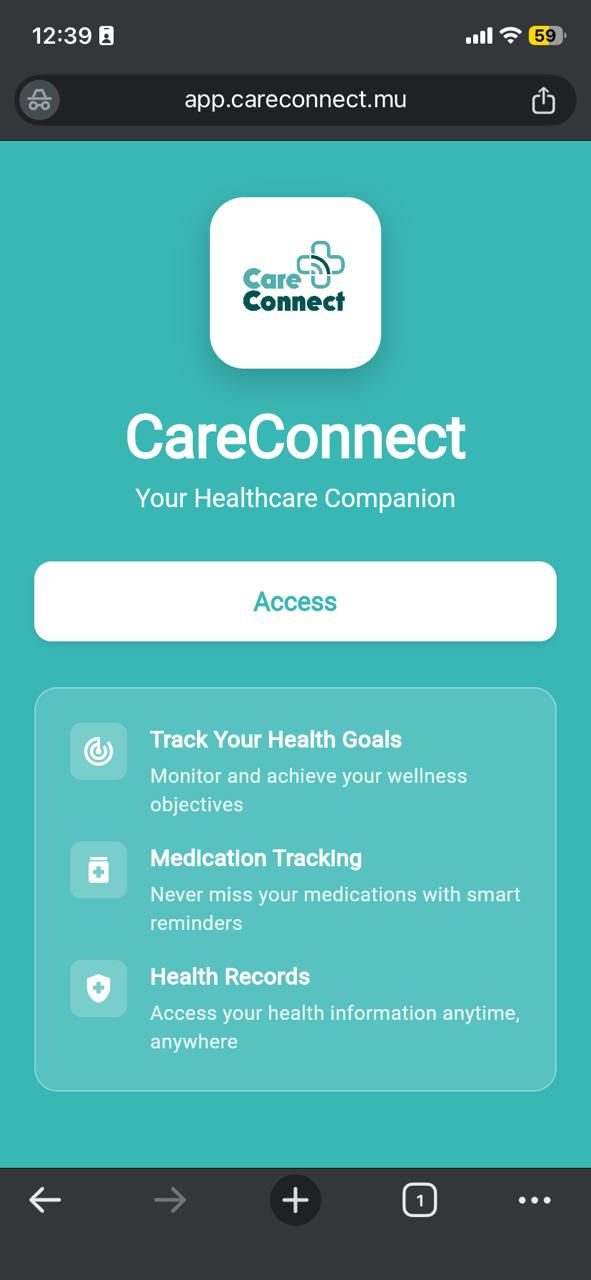
Open the CareConnect app in your mobile browser on this link: app.careconnect.mu
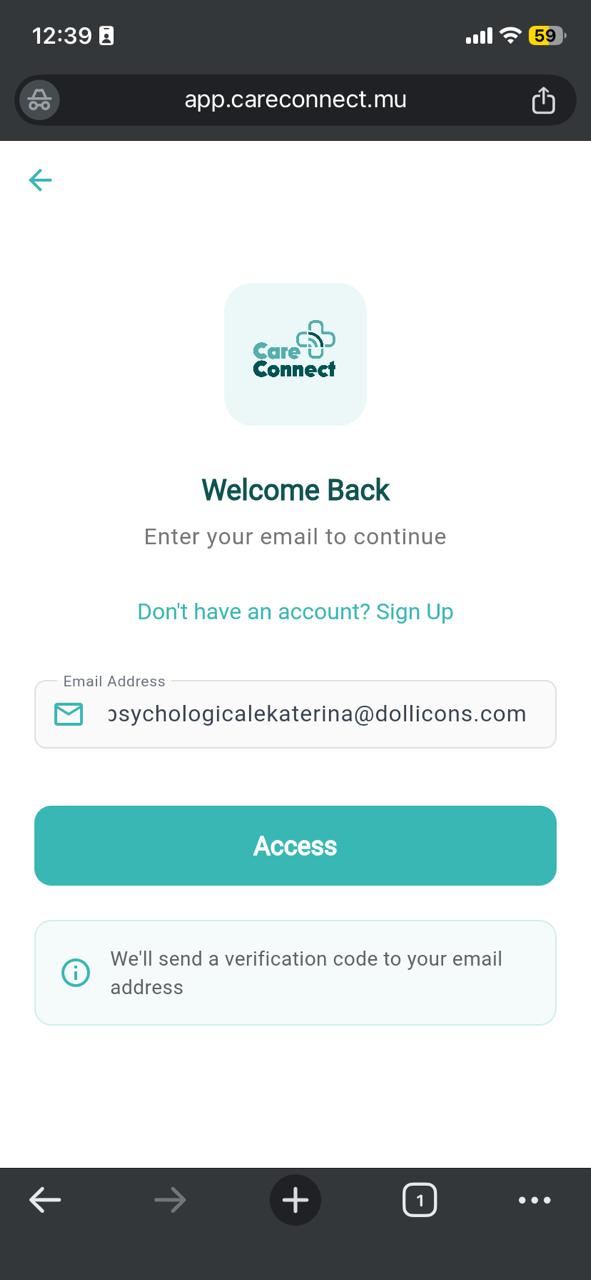
Enter your email address and you'll receive an OTP code via email
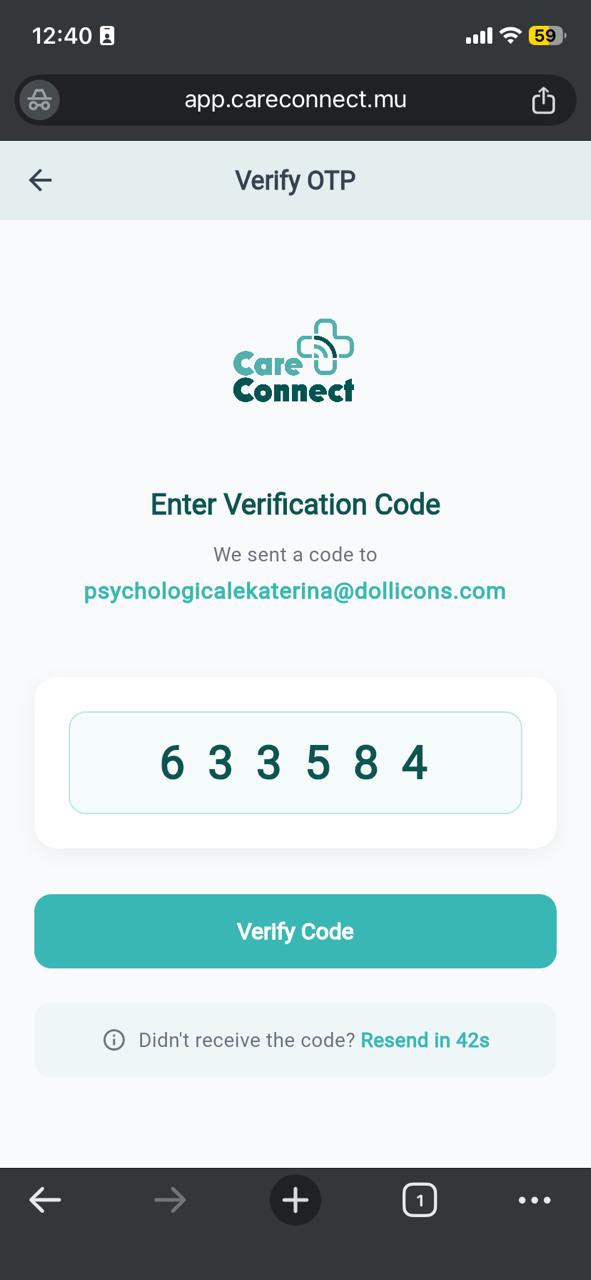
Enter the OTP sent to your email, and click Verify Code. It will log you in and display your dashboard.
🍽️ Step 2: View Meal Suggestions on Dashboard
Once logged in, your dashboard displays personalized meal suggestions created by your doctor based on your health goals and dietary needs.
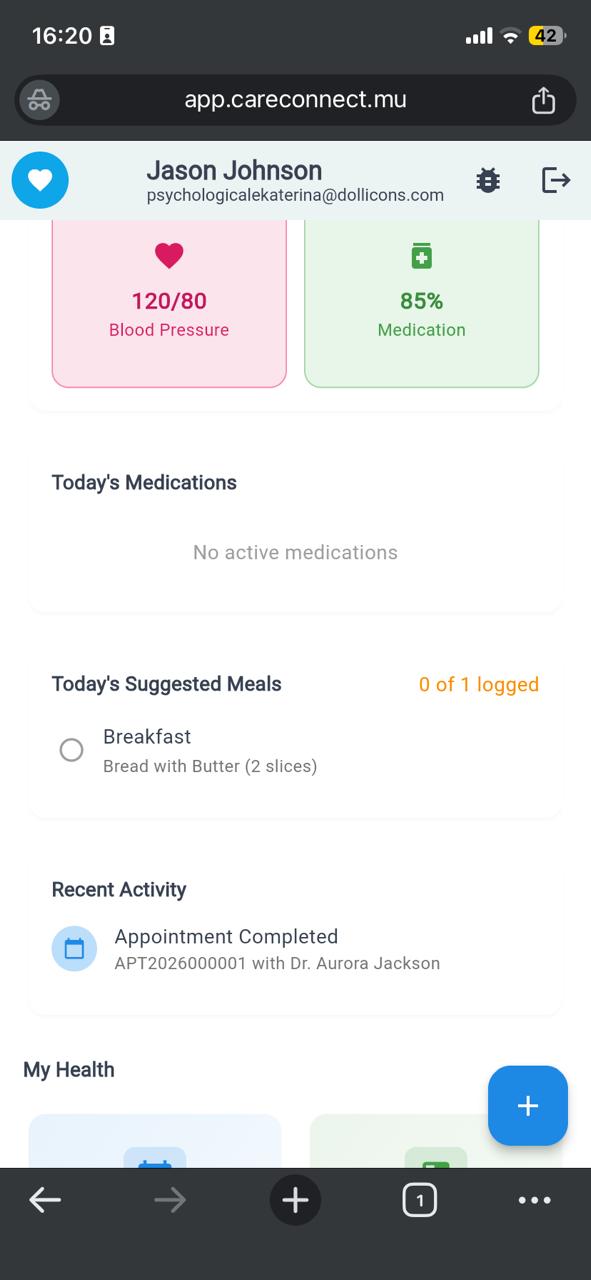
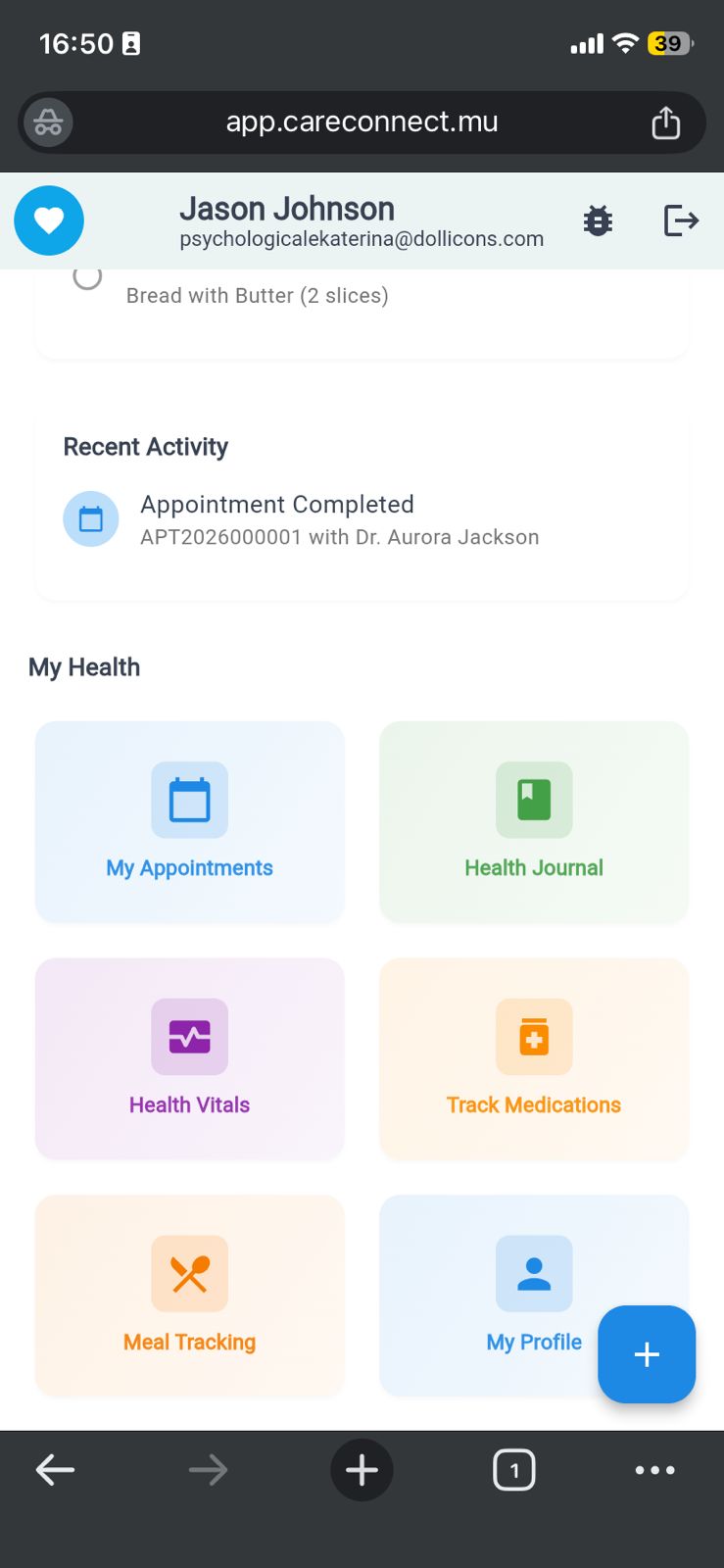
Your doctor can create customized meal suggestions to help you achieve your nutrition goals. These appear prominently on your dashboard for easy access.
📝 Step 3: Log Your Meals
Navigate to the Meal Tracking section to log what you eat throughout the day. You can search from a comprehensive food database and track your nutritional intake.
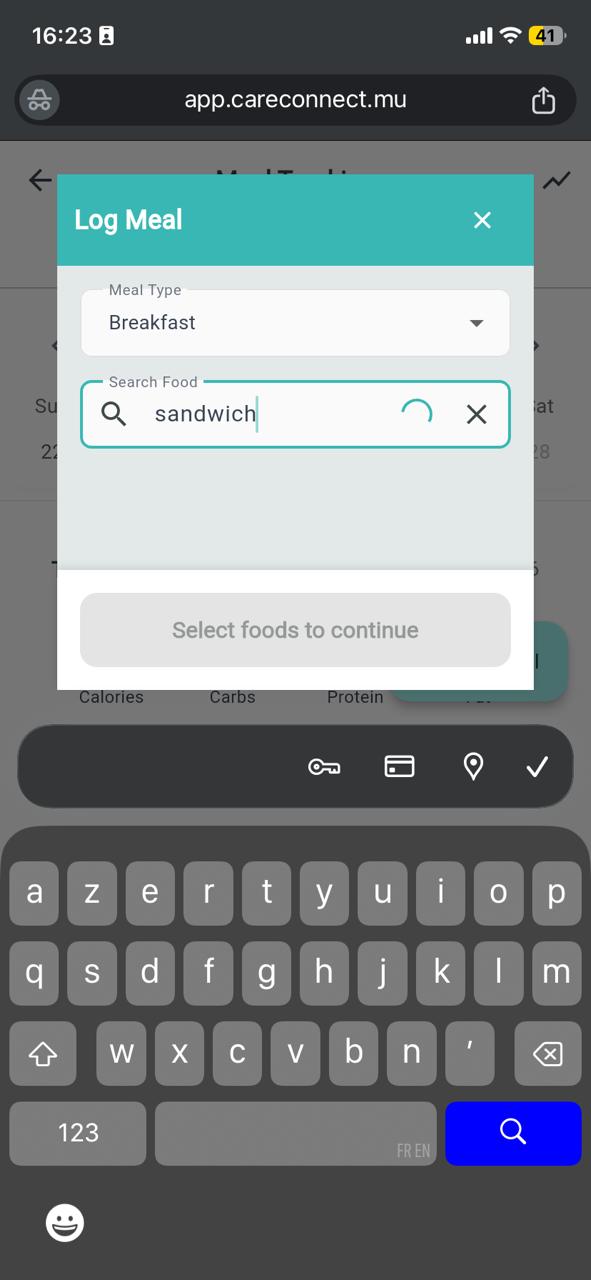
Go to the meal tracking section
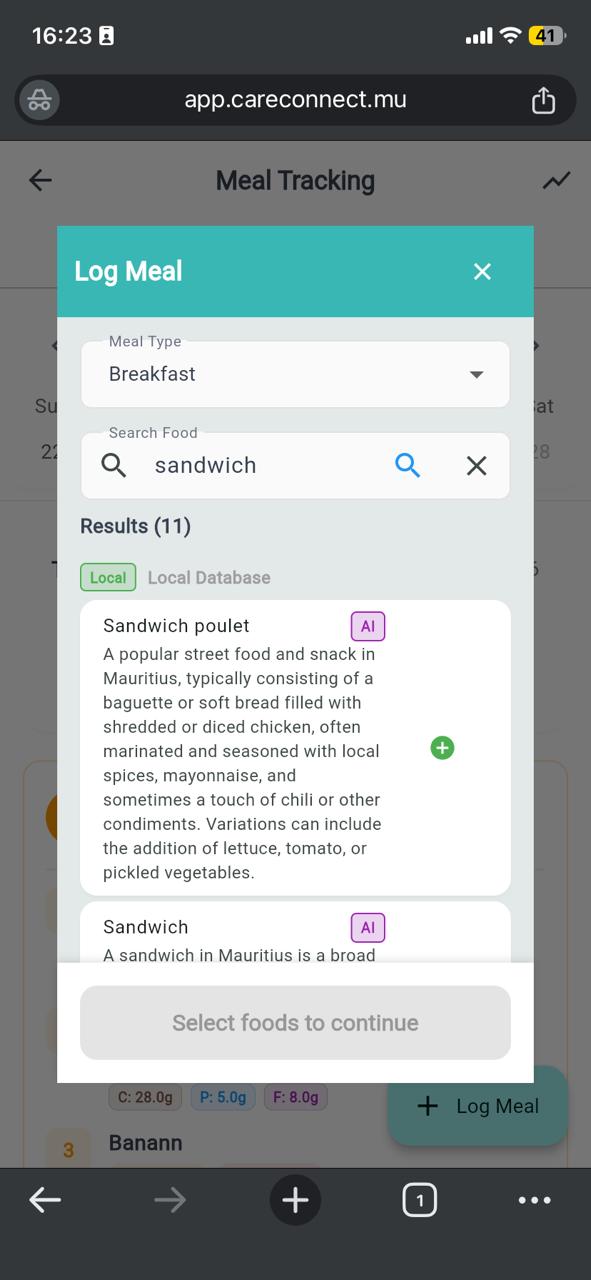
Search from comprehensive food database
➕ Step 4: Add Meal to Your Log
Select the food item, specify the portion size, and add it to your meal log. The system automatically calculates nutritional values.
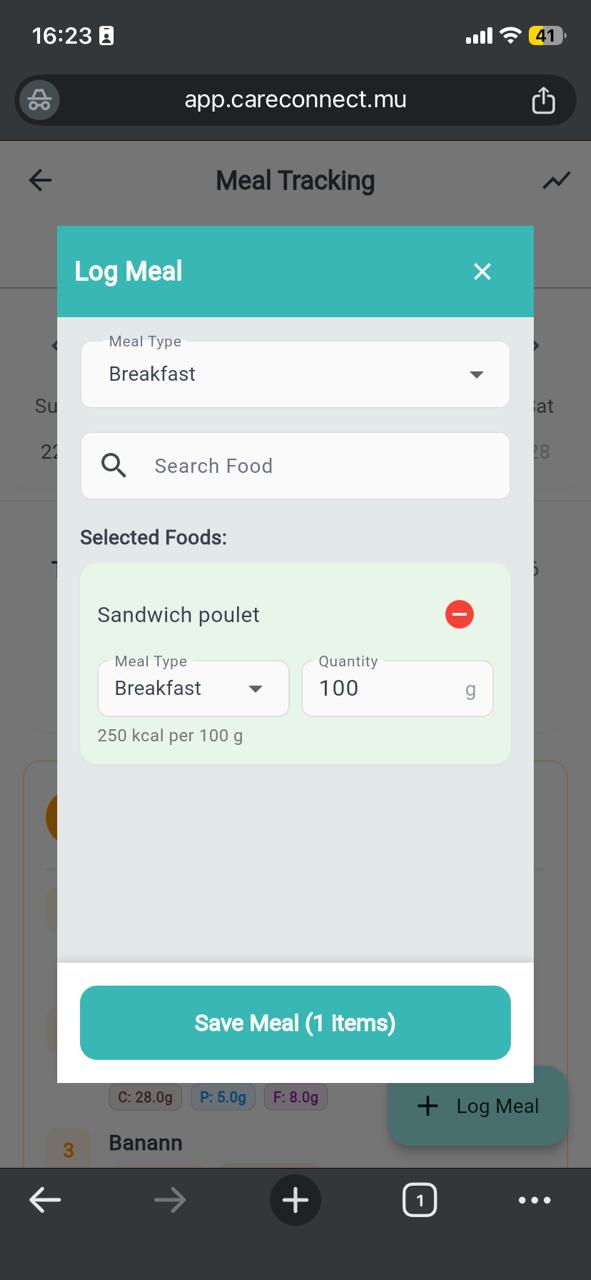
Specify portion and meal type
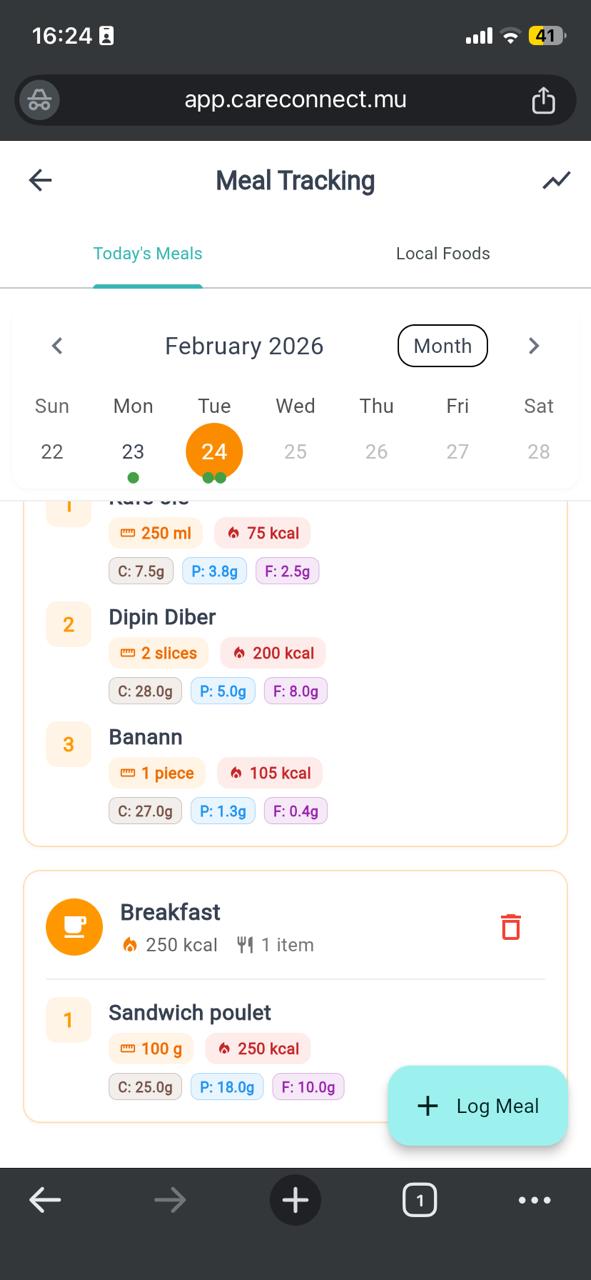
Meal successfully logged
📊 Step 5: Track Your Progress
View your meal tracking progress and nutrition summary. Monitor your daily intake against your goals set by your doctor.
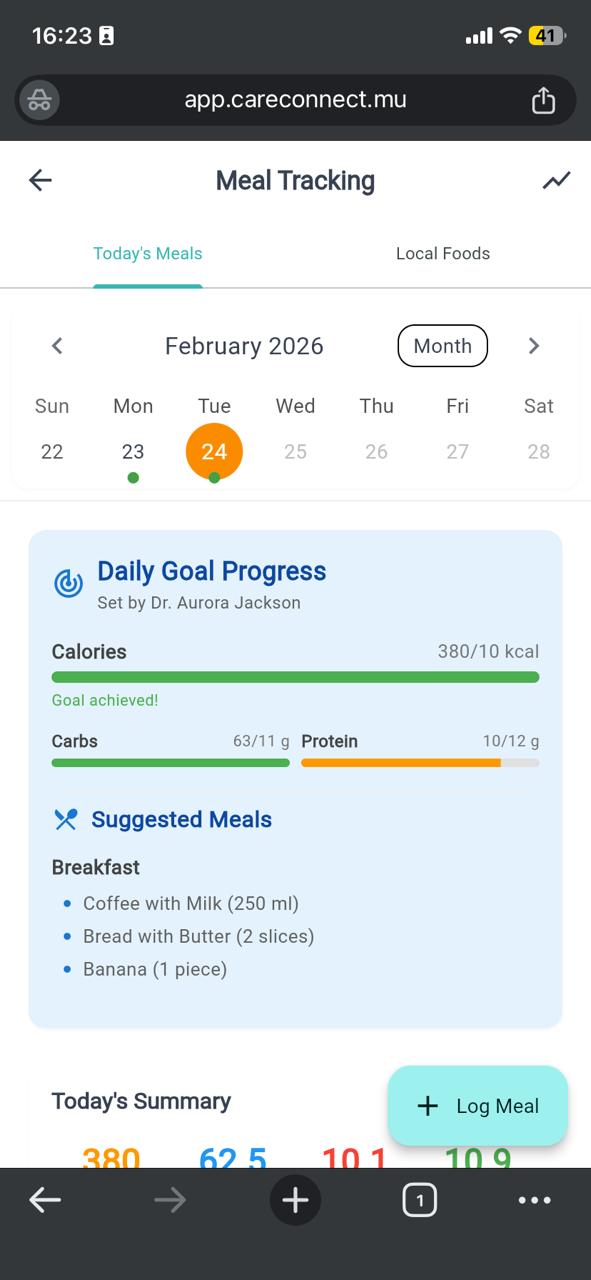
See your nutrition goals and progress
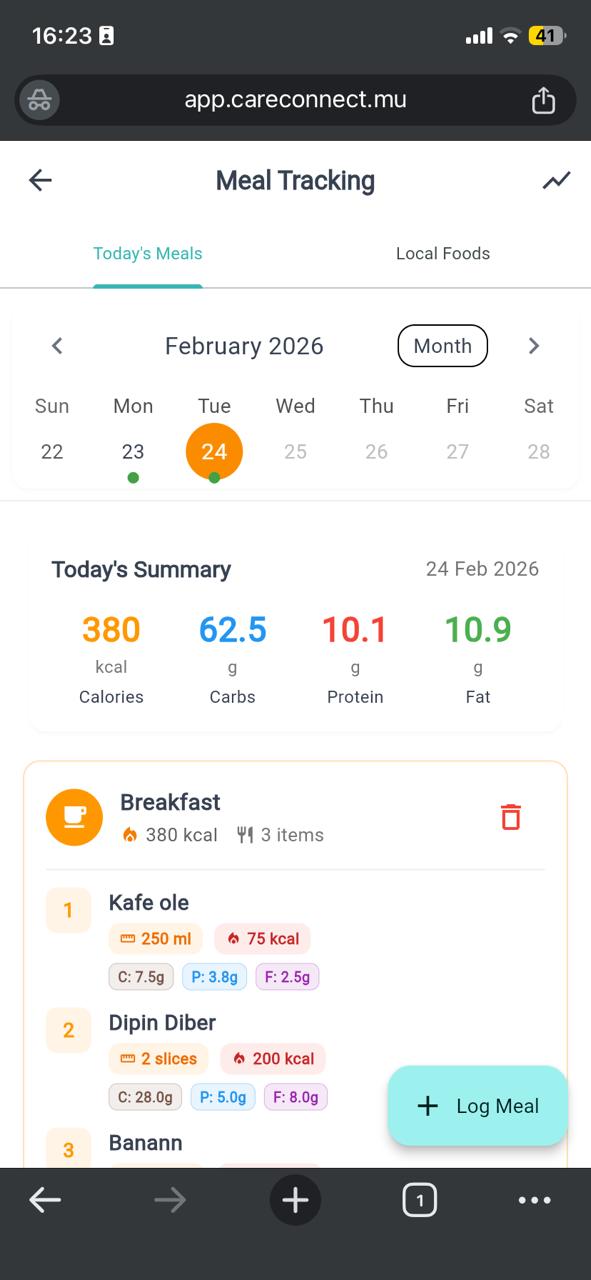
Review detailed nutritional breakdown
👨⚕️ For Doctors: Create Meal Goals & Suggestions
🎯 Step 1: Create Meal Goal During Appointment
During a patient consultation, you can create personalized meal goals to help patients manage their nutrition and health conditions.
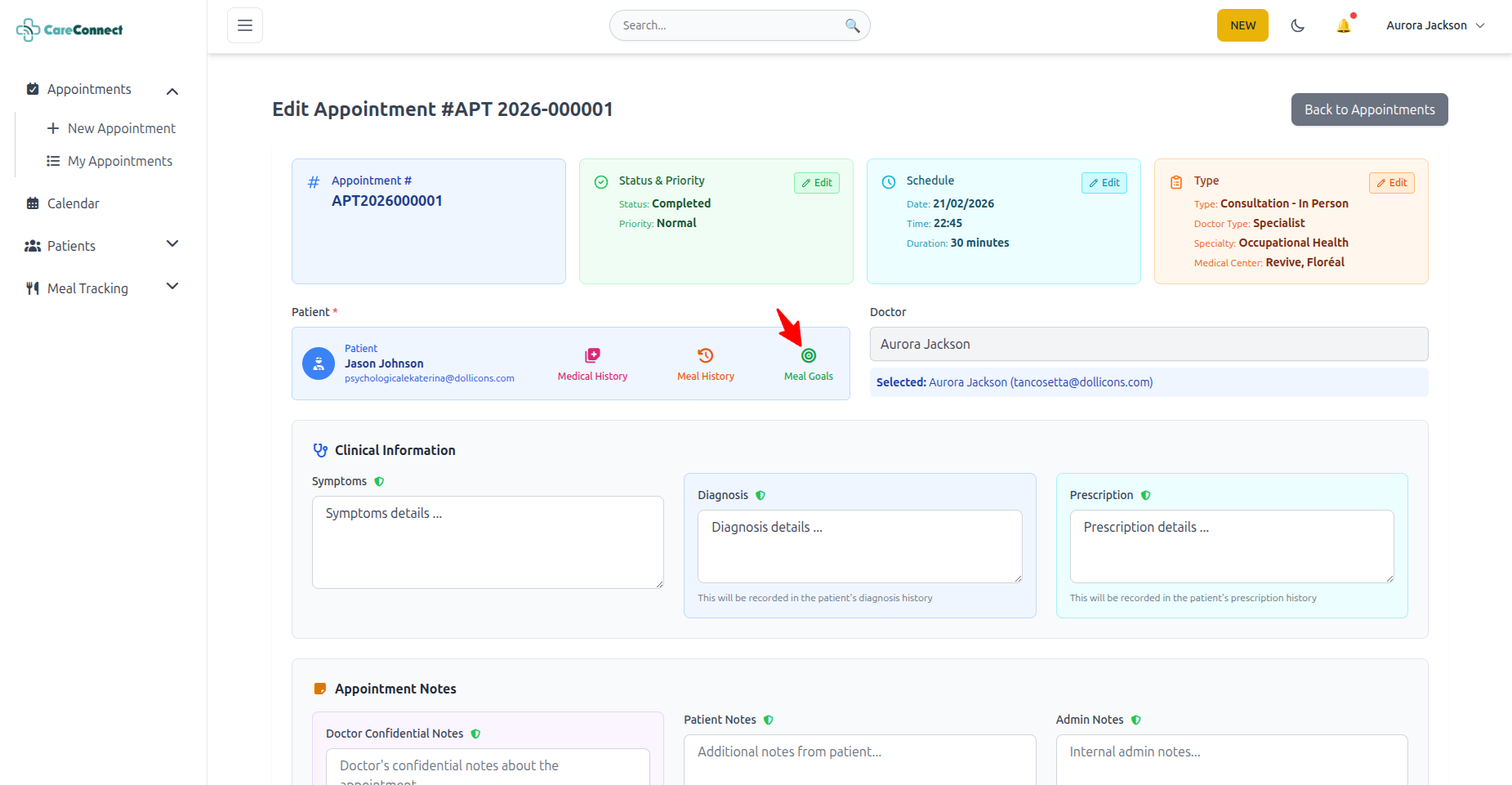
Access the meal goal creation tool directly from the appointment interface. Set specific nutritional targets based on the patient's health needs.
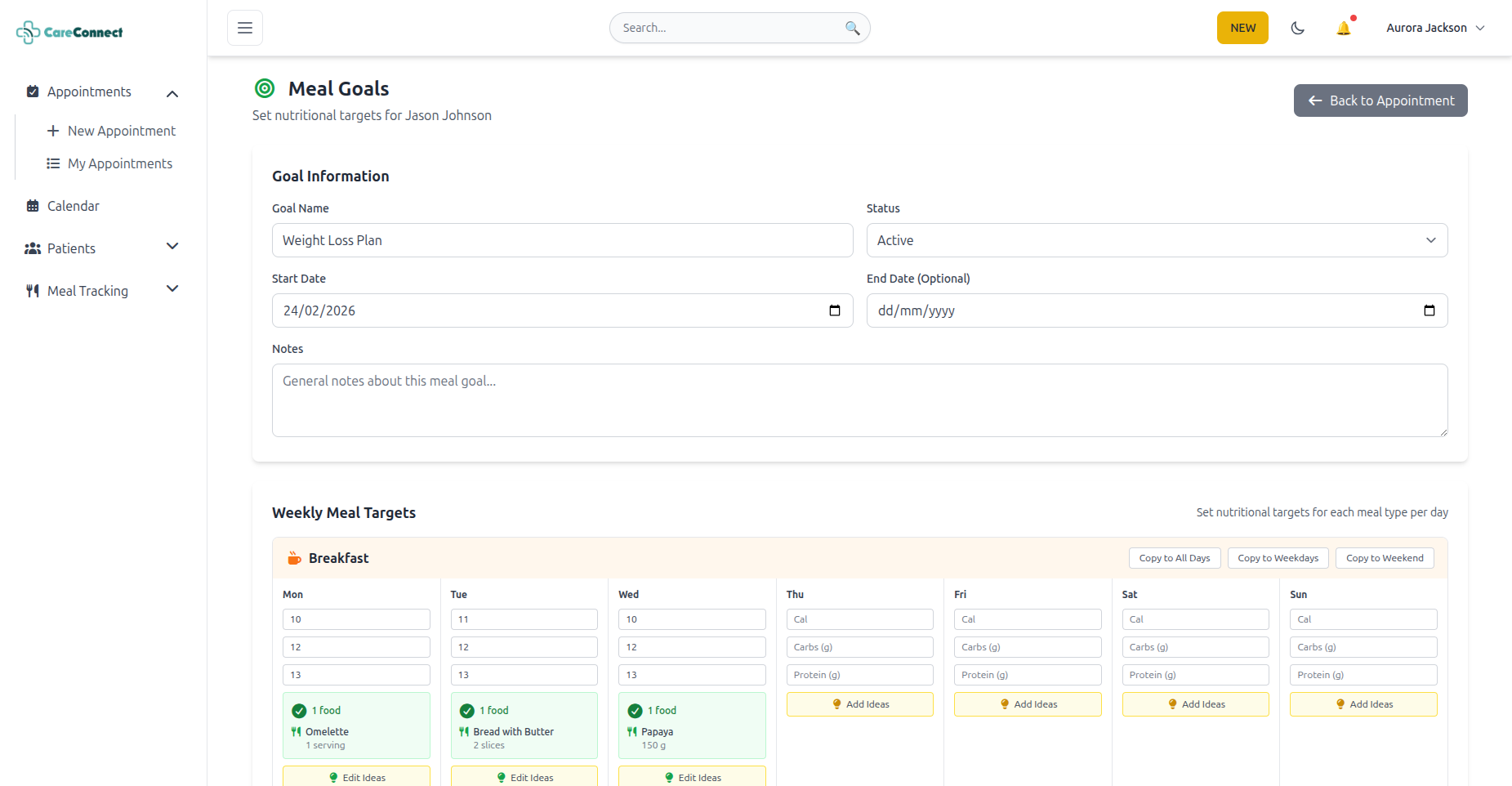
⚙️ Step 2: Configure Meal Goals
Define specific nutritional targets including calories, macronutrients, and other dietary requirements tailored to your patient's condition.
🍴 Step 3: Add Meal Suggestions
Create specific meal suggestions for your patients. These suggestions will appear on their dashboard to guide their daily food choices.
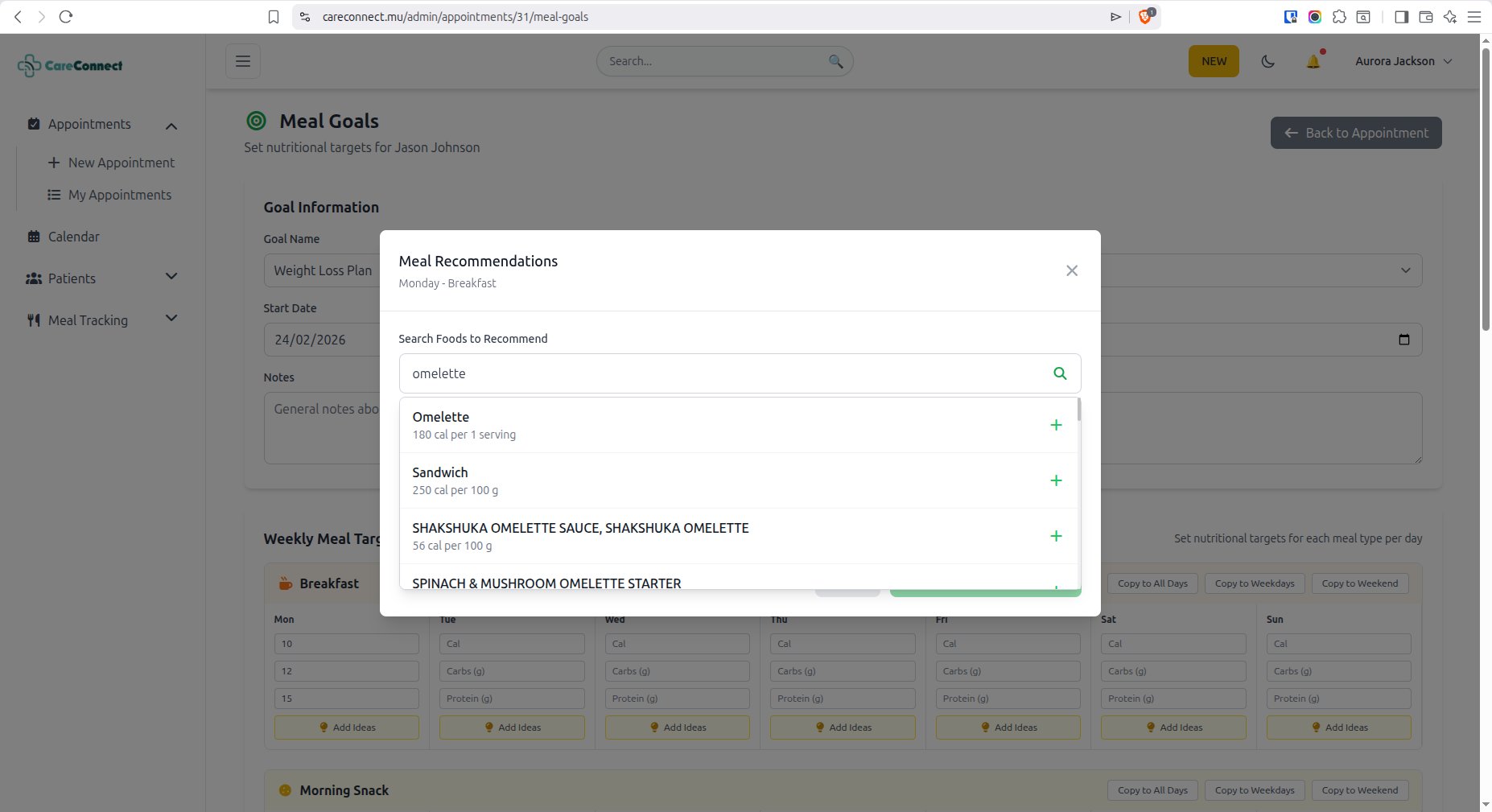
Meal suggestions help patients make informed food choices that align with their health goals. You can specify meals for breakfast, lunch, dinner, and snacks.
⭐ Key Features
Comprehensive Food Database
Search from extensive food databases with detailed nutritional information
Automatic Calculations
Nutritional values are automatically calculated based on portion sizes
Personalized Goals
Doctors can set customized nutrition goals for each patient
Meal Suggestions
Receive doctor-recommended meal suggestions on your dashboard
Daily Tracking
Log meals throughout the day and monitor your progress
Share with Doctor
Your meal logs are accessible to your healthcare provider for better care
💡 Benefits of Meal Tracking
Better Health Outcomes
Track nutrition to manage diabetes, heart disease, and other conditions effectively
Improved Doctor-Patient Communication
Share dietary data with your doctor for more informed treatment decisions
Increased Awareness
Understand your eating patterns and make healthier food choices
Achieve Your Goals
Stay motivated by tracking progress toward your nutrition targets
Start Tracking Your Meals Today
Take control of your nutrition and work with your doctor to achieve better health outcomes
Available for all CareConnect patients and doctors