
Doctor Login Tutorial
A quick guide to connecting to your CareConnect doctor's account. Click on the screenshots to view them in fullscreen.
🔐 Step 1: Login to Your Account
Access your doctor portal securely with your email only. The login process is simple and secure.
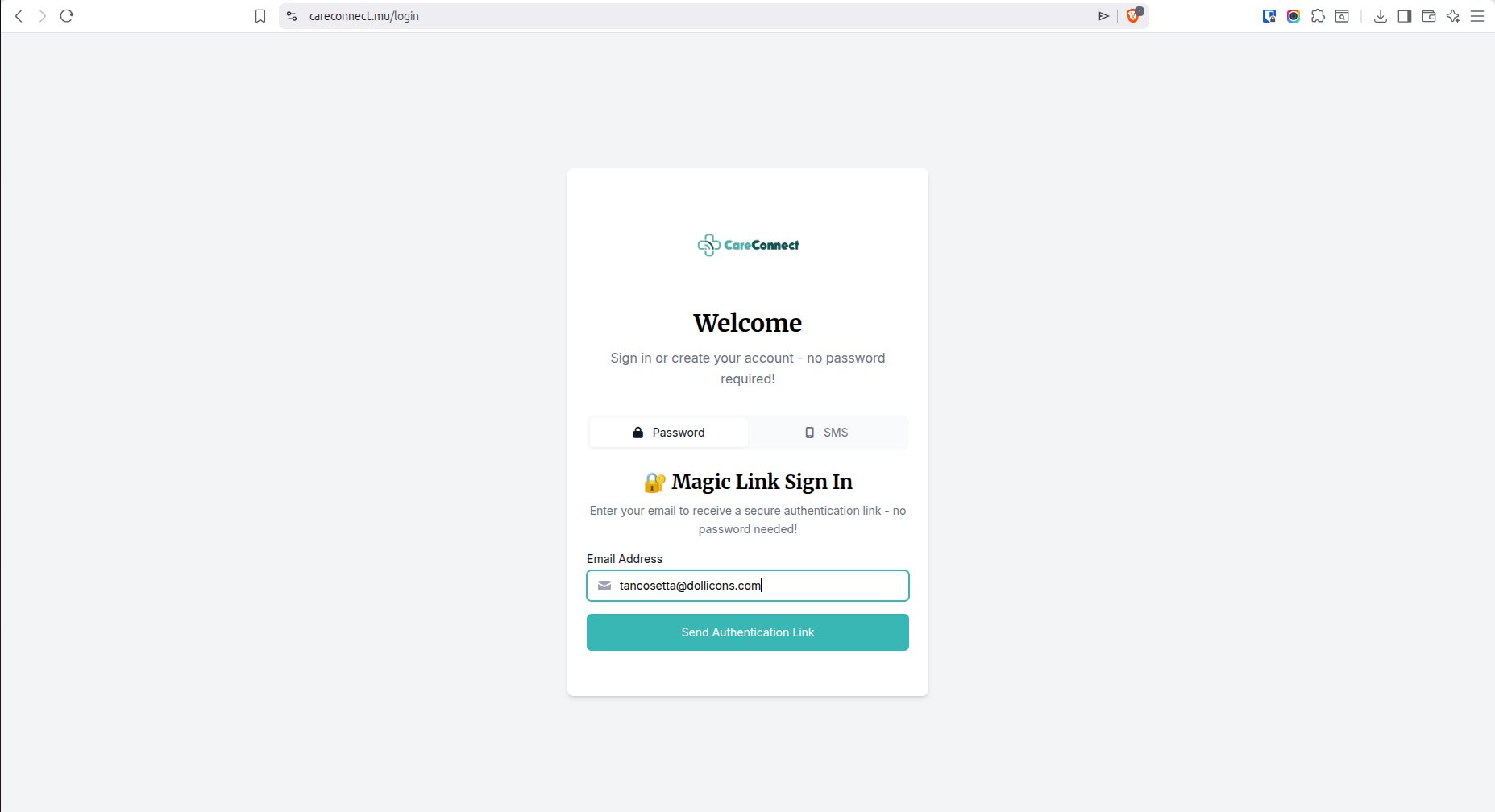
Go to the CareConnect login page at careconnect.mu/login
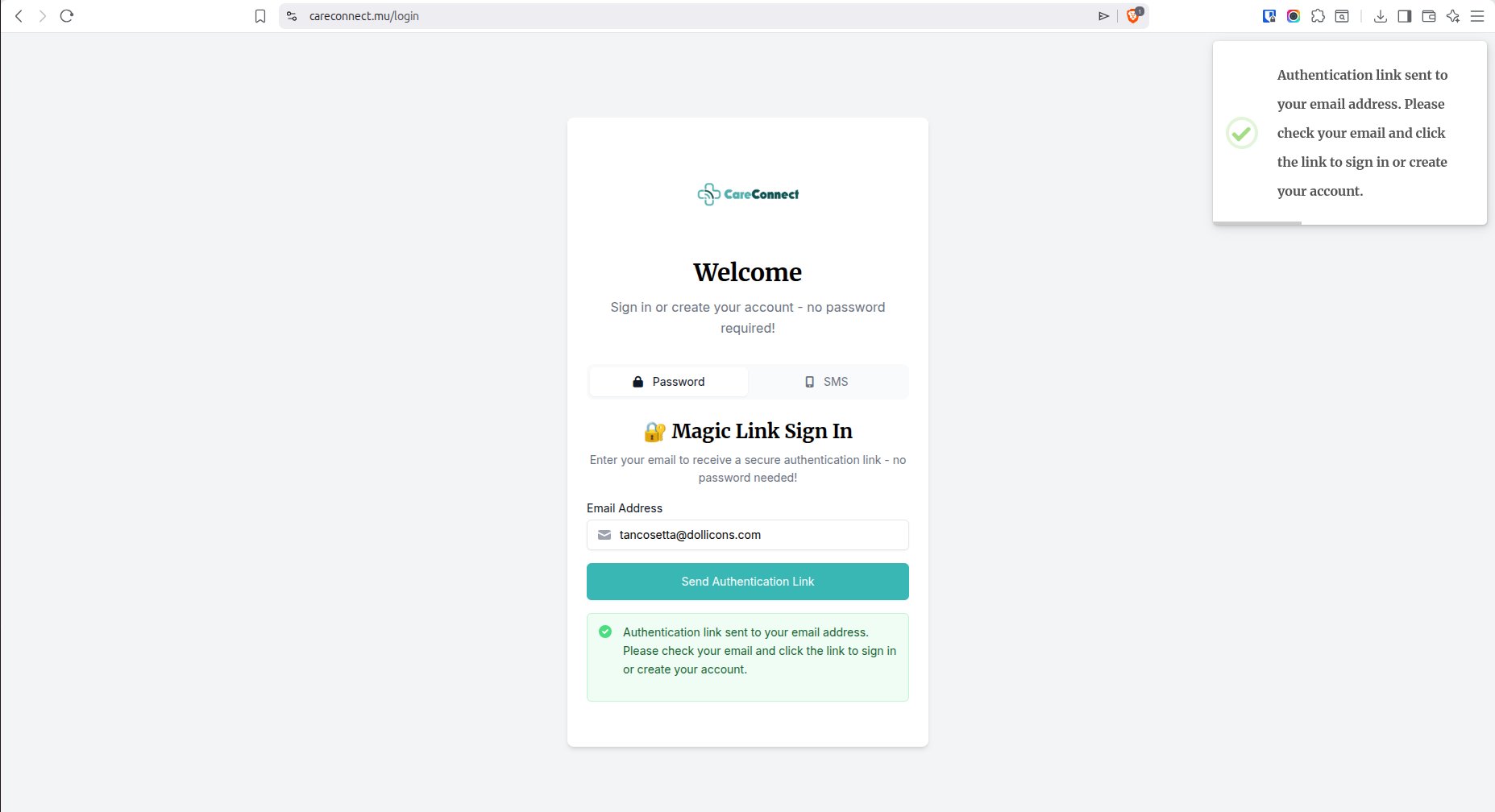
Enter your email address and click Send Authentication Link
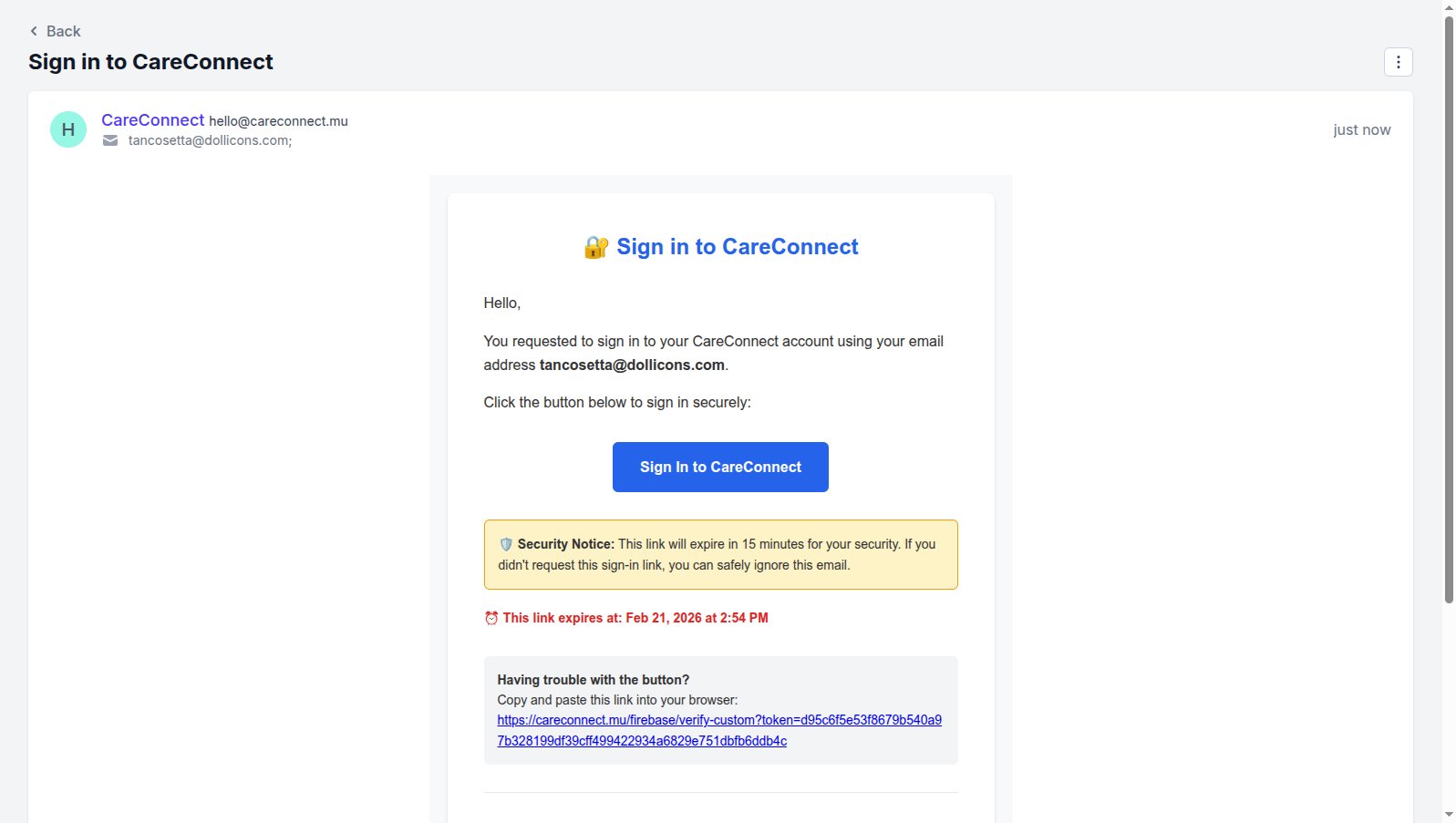
Check your email account for a Sign In to CareConnect email. Open it, and click Sign In to CareConnect. You'll be automatically logged in and your dashboard will open.
📊 Step 2: Your Dashboard Overview
Your dashboard provides a comprehensive view of your appointments, patient queue, and quick actions.
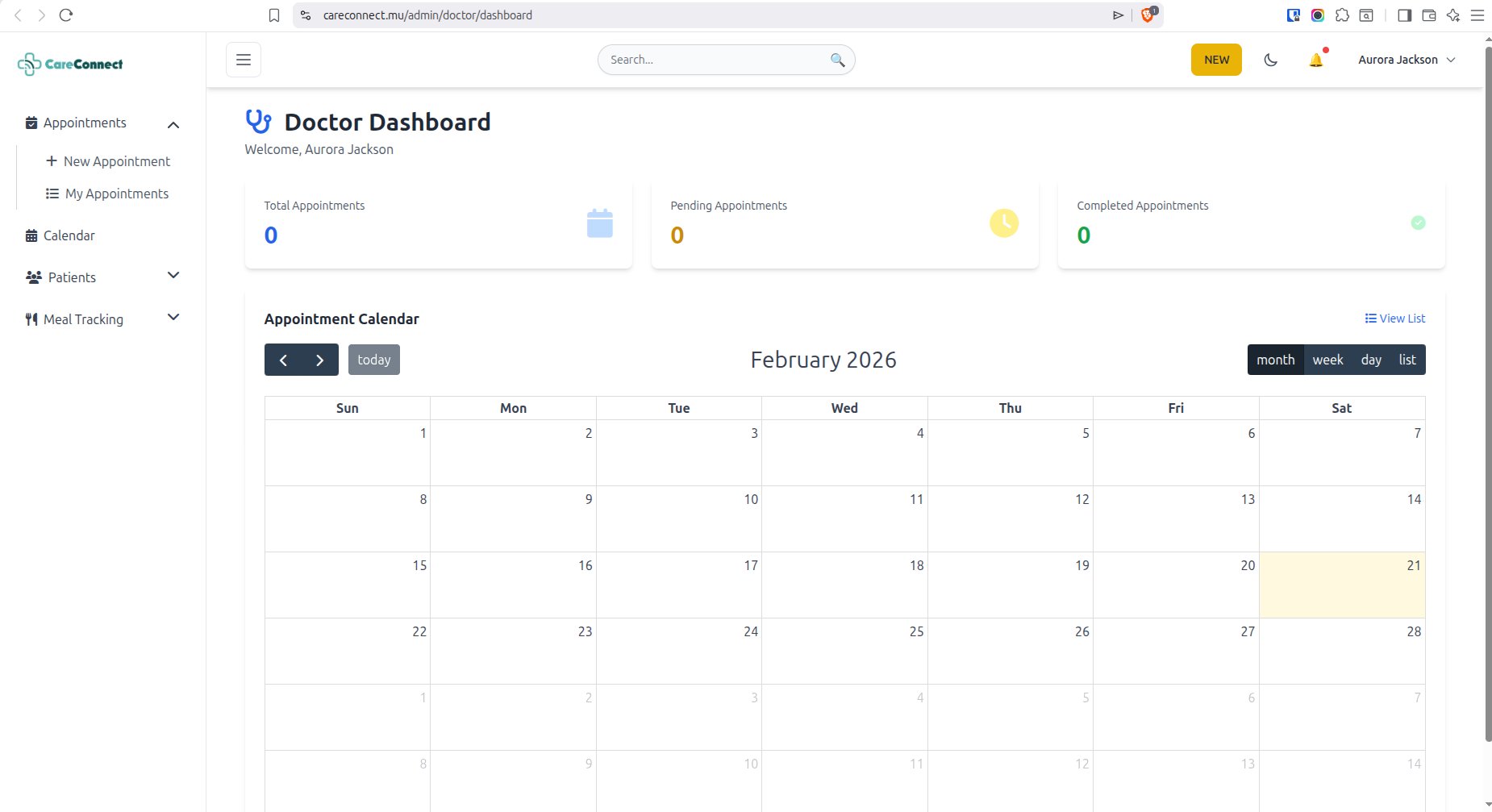
From your dashboard, you can view upcoming appointments, manage your schedule, and access patient records quickly.
📅 Step 3: Create a New Appointment
You can create appointments for existing patients or register new patients during the booking process.
Existing Patient
Select from your patient list and schedule an appointment quickly
New Patient
Register a new patient and create their first appointment in one flow
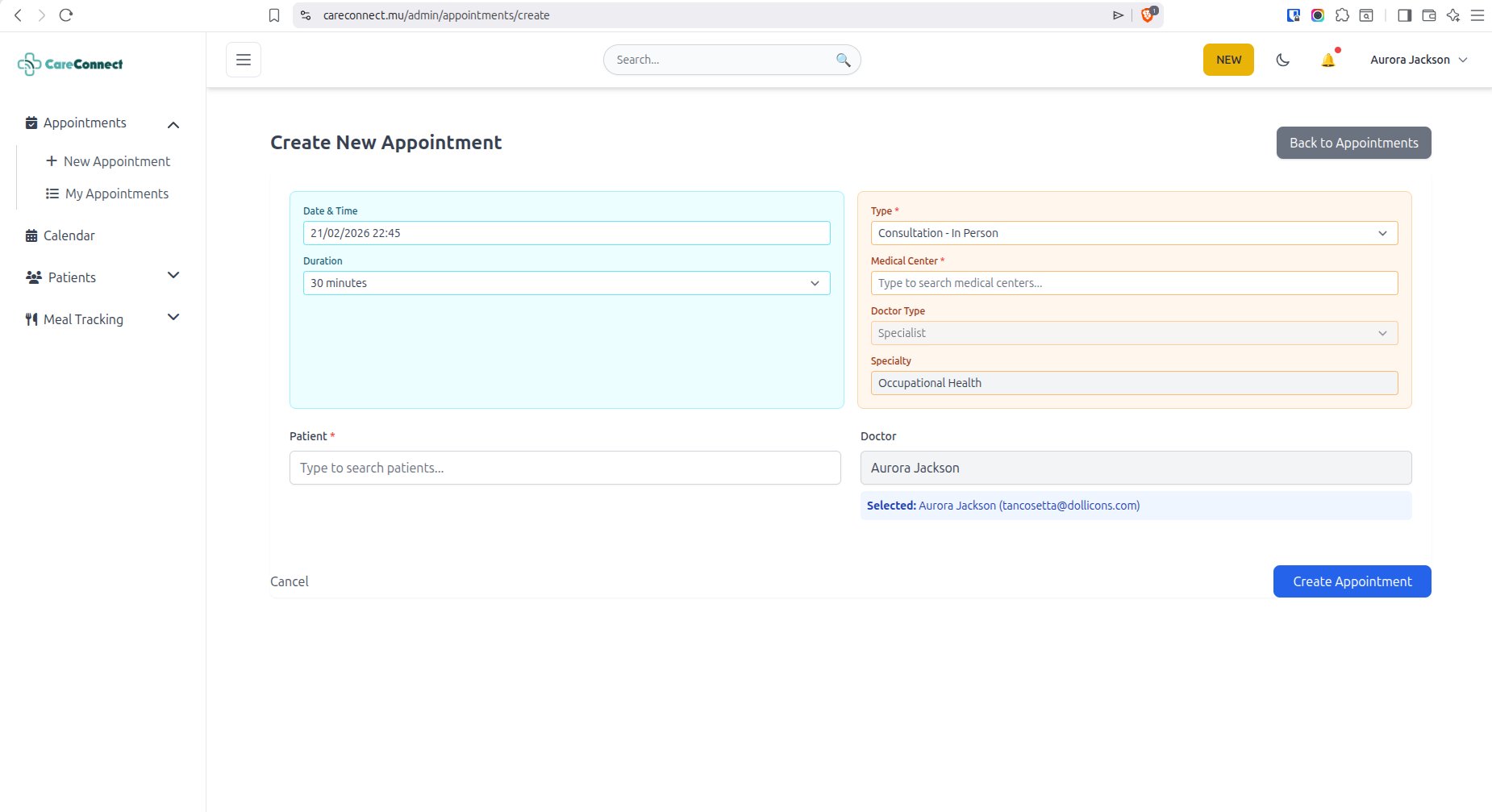
Click the new appointment button
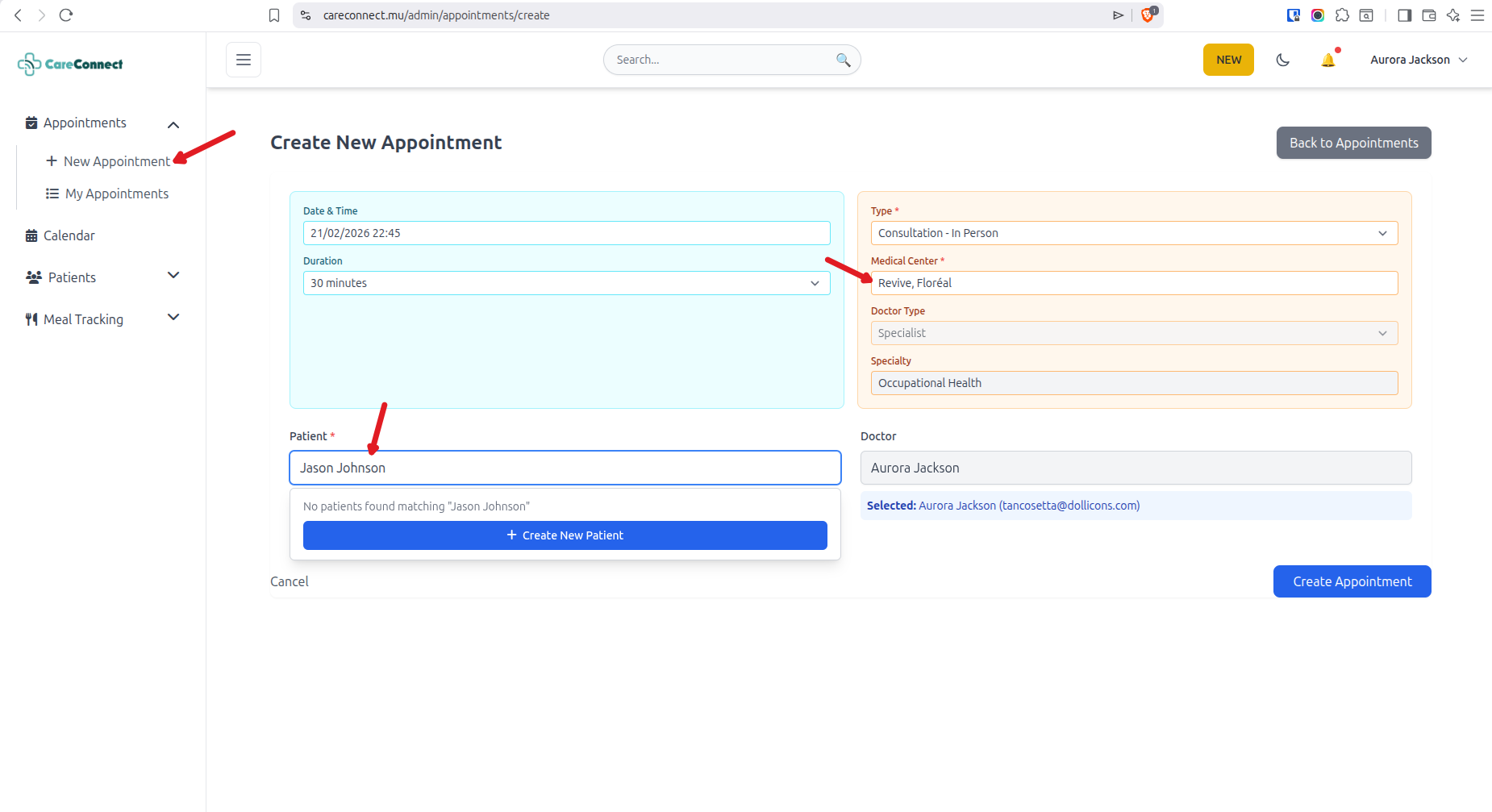
Type the name of the patient. If he/she exists, you can choose the patient from the dropdown, else you'll get option to create the patient on the system.
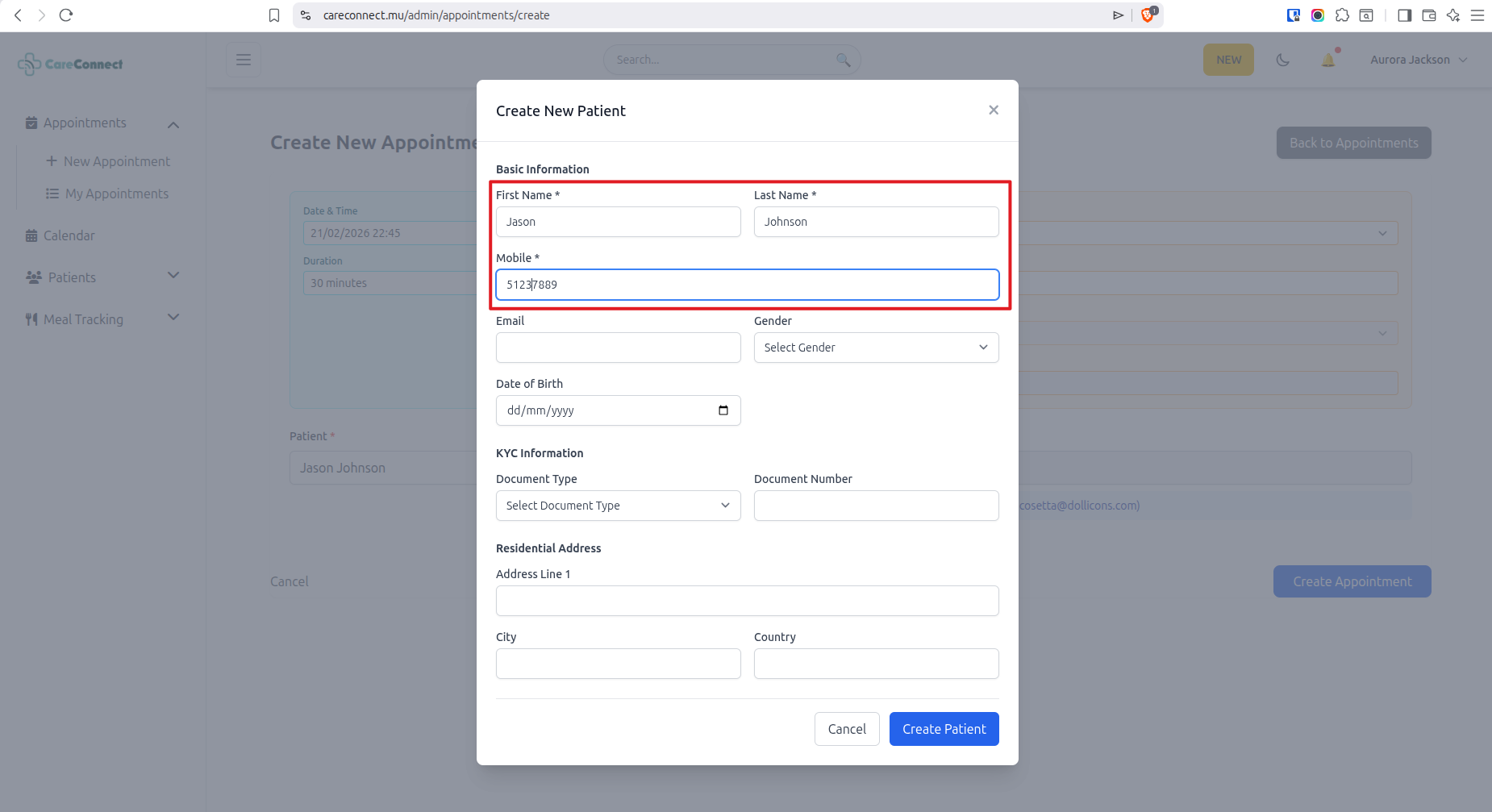
When clicking Create New Patient, a popup appears so you can enter first name, last name and mobile of patient. Rest of information is optional.
🩺 Step 4: Start the Consultation
When your patient arrives, start the consultation to begin documenting their visit.
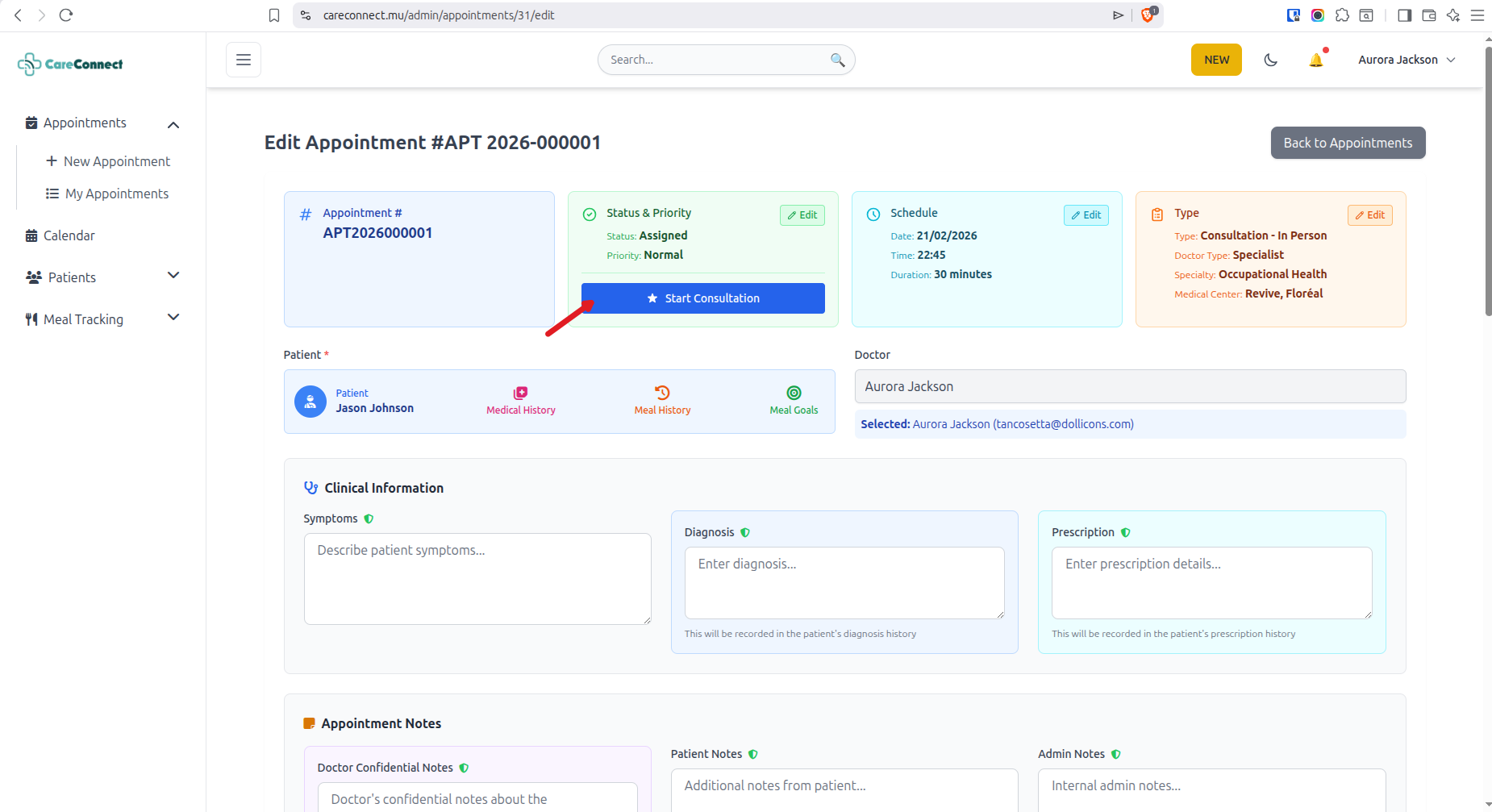
Click the "Start Consultation" button to begin. You can then record symptoms, diagnosis, prescriptions, and treatment notes.
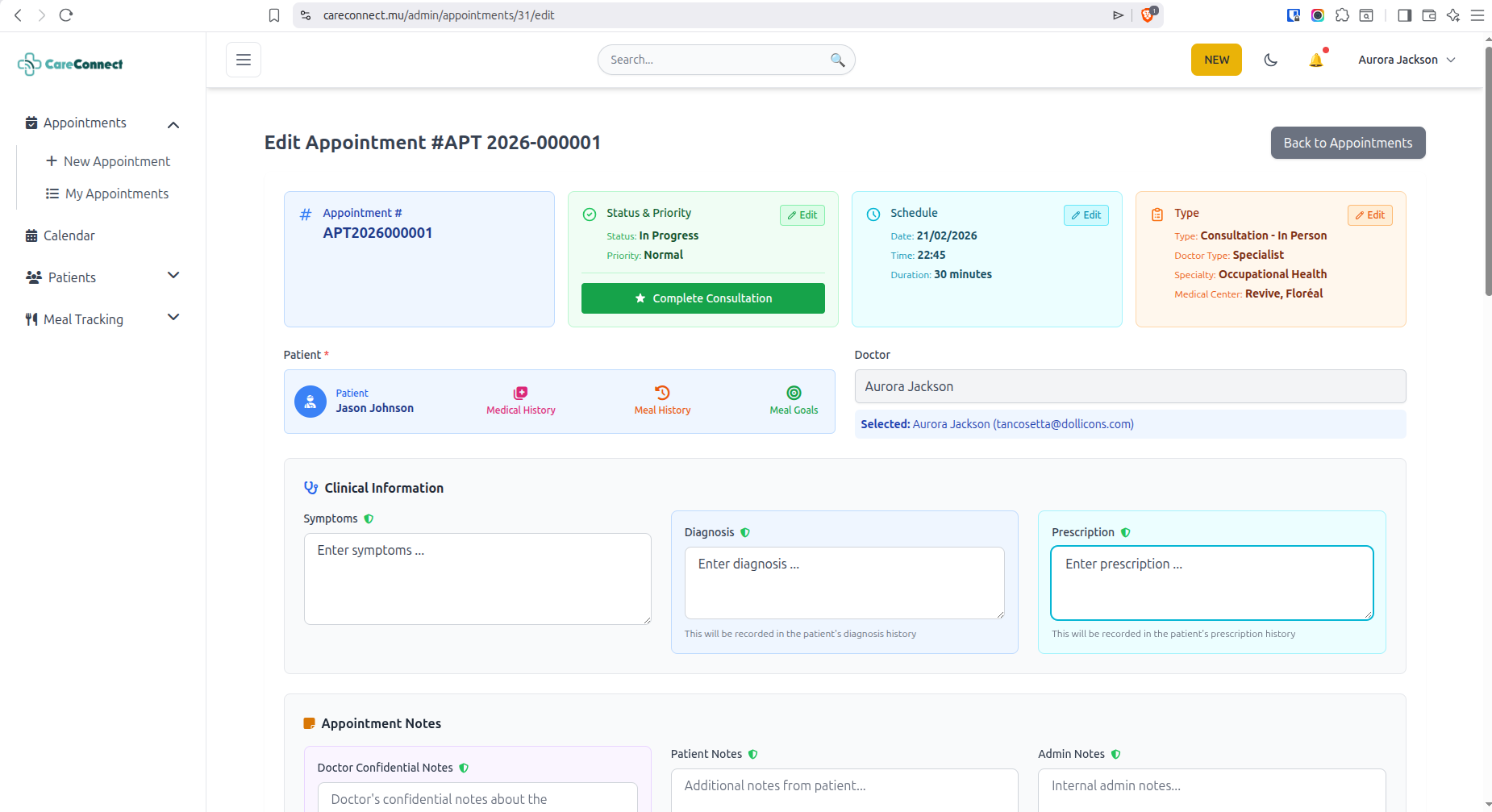
✅ Step 5: Complete the Consultation
Once you have finished documenting the consultation, mark it as complete to update the patient record.
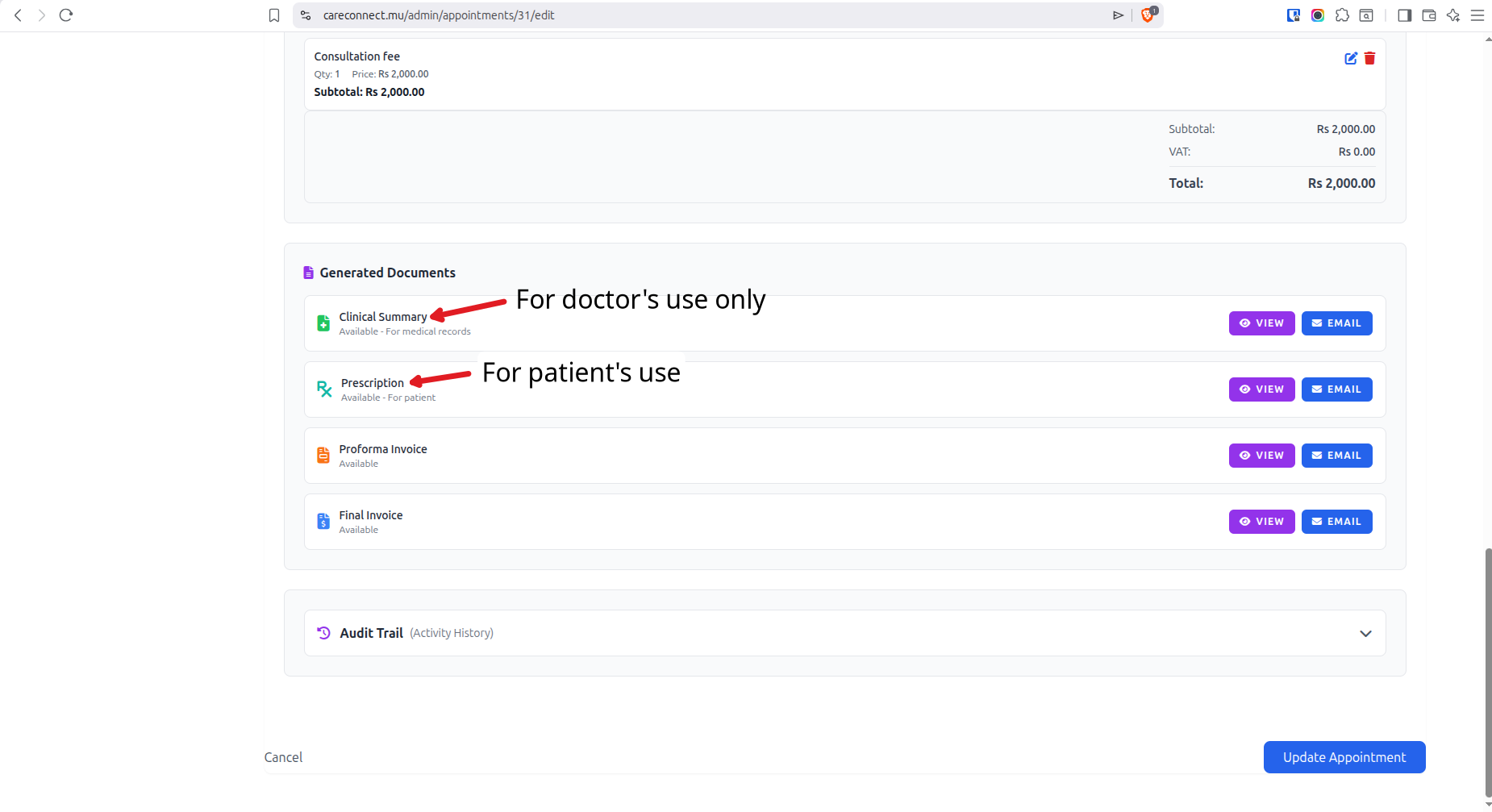
After completing the consultation, the patient record is automatically updated, and you can proceed to the next appointment.
⭐ Key Features for Doctors
Smart Scheduling
Manage your appointments efficiently with our intuitive calendar system
Digital Records
Access complete patient history and medical records instantly
E-Prescriptions
Create and manage prescriptions digitally for better accuracy
Invoicing
Easily bill your patients, proforma and invoice are generated
Items
Track consumed items or billable consumables
Secure & Private
Consultation details are encrypted to protect patient information
Ready to Get Started?
Join thousands of doctors using CareConnect to streamline their practice
Need help? Our support team is available 24/7